

Instalación
Instrucciones de instalación y configuración
Cómo añadir un banner de cookies en un sitio web React
En esta guía te mostraremos la instalación de CookiePal en un sitio web React
Table of contents
back
to the top
CookiePal helps you ensure your React application complies with GDPR and other privacy laws by managing cookie consent for your users. This guide will walk you through the steps to integrate CookiePal with your React application.
Sign in to CookiePal
Go to CookiePal and sign in to your account.
Get the Installation Code
In your CookiePal dashboard, click on the HTML file icon to get the installation code. Refer to the gif below for detailed instructions on how to do this.
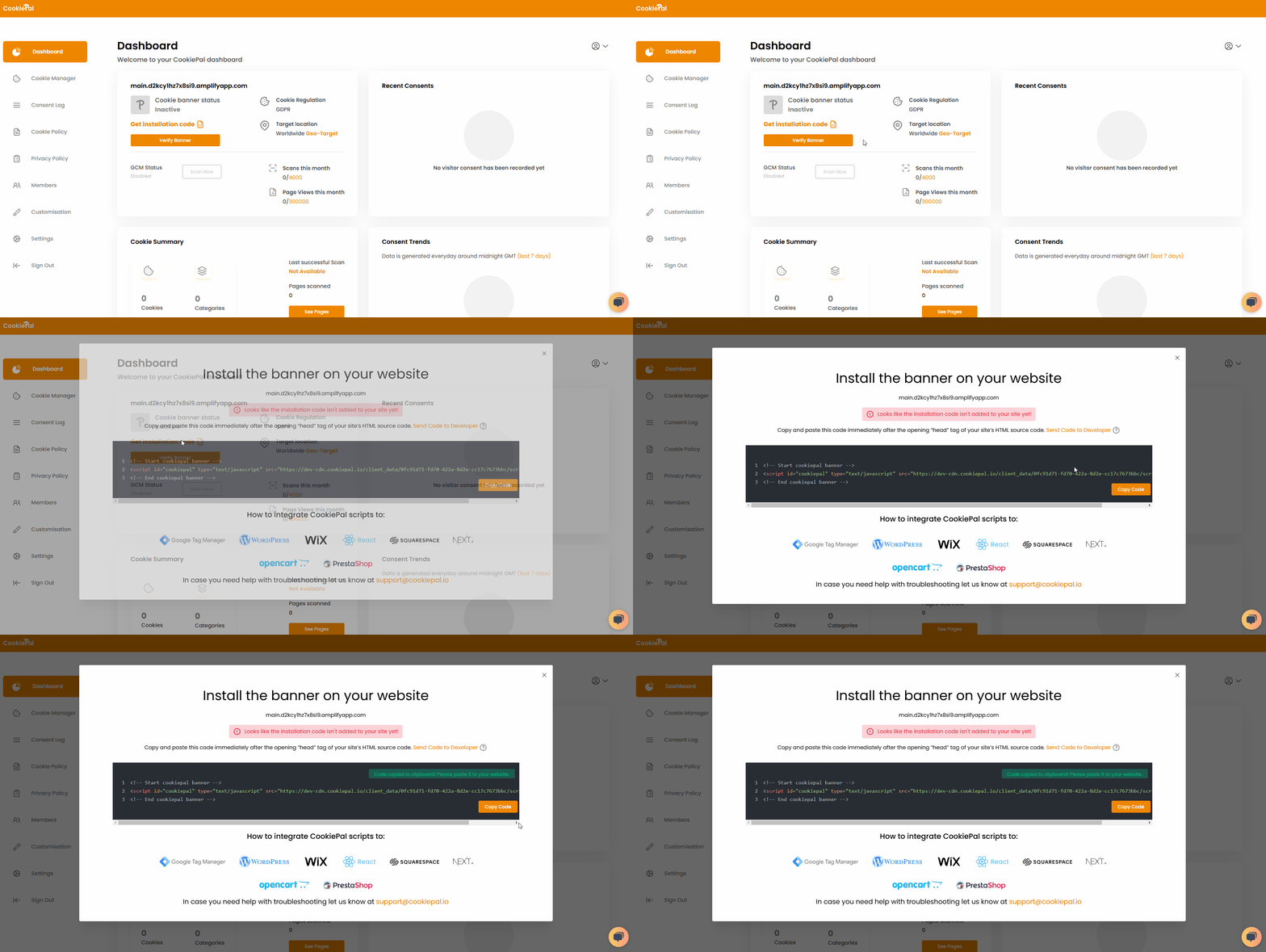
Copy the generated script code to your clipboard.
Add the CookiePal Script to Your React Application
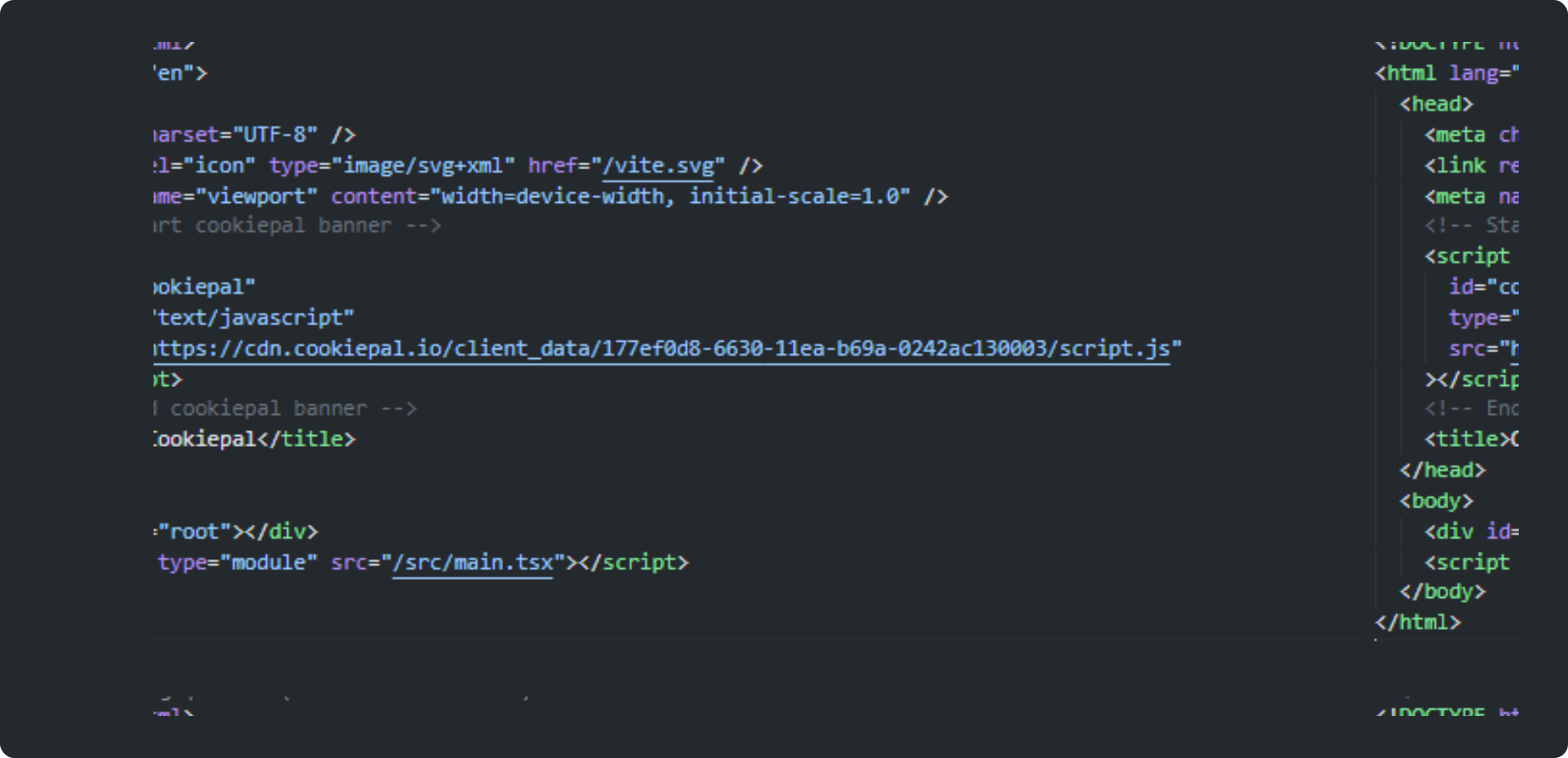
Open your React application and locate the public/index.html file.
Paste the CookiePal script code you copied earlier into the <head> section of the index.html file.
Initialise CookiePal in Your React Application
Save your changes using your preferred code management tool.
Deploy this new version of your website using your preferred methods and automation.
Verify the Cookie Banner
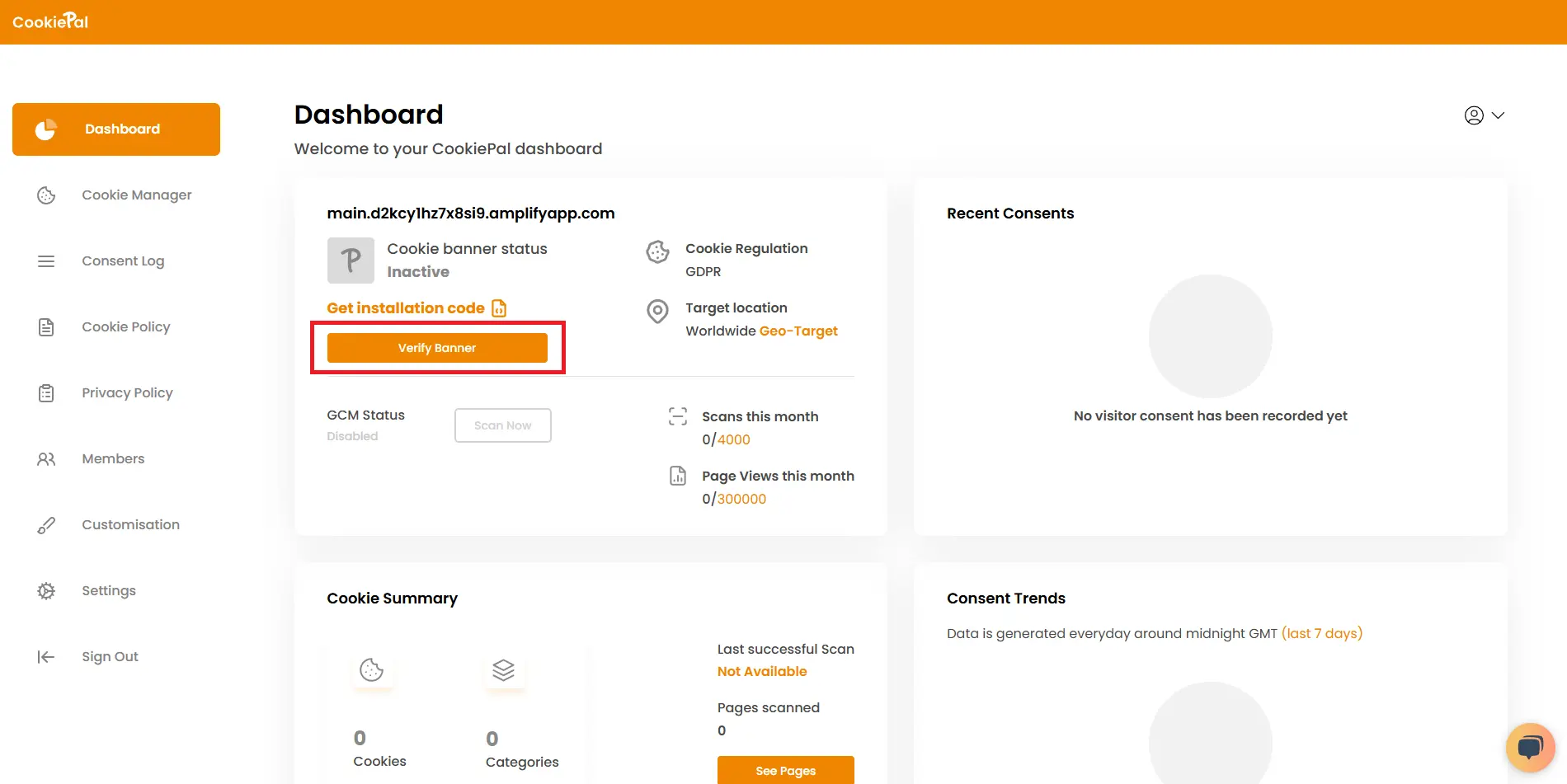
Verify Banner: Return to the CookiePal dashboard and verify that the cookie banner is active on your website. The status should change to "Active".
Test Implementation: Visit your website to ensure the cookie consent banner appears correctly and cookies are blocked until user consent is given.