

Clear cookies and site data in Safari
Welcome to CookiePal! This guide will walk you through cookies and site data in Safari

A step-by-step guide to managing and deleting cookies in Safari
Cookies are small files stored on your computer by websites you visit, used to keep track of your preferences and activity. While cookies can enhance your browsing experience, they can also pose privacy concerns. This guide will show you how to delete cookies on Safari, ensuring your data remains private and your browser runs efficiently.
Understanding Cookies
Cookies are essential for many functions, such as remembering login details and personalising web content. However, over time, cookies can accumulate and may affect your browser’s performance. Deleting cookies can help maintain your privacy and improve your browser’s speed.
Why you should Delete Cookies
- Privacy Protection: Removing cookies can prevent websites from tracking your online activities.
- Enhanced Security: Deleting cookies can reduce the risk of tracking and security breaches.
- Improved Performance: Clearing cookies can speed up your browser and free up storage space.
How to Delete Cookies on Safari
- Napsauta yläreunan valikkorivillä "Safari".
- Valitse "Asetukset".
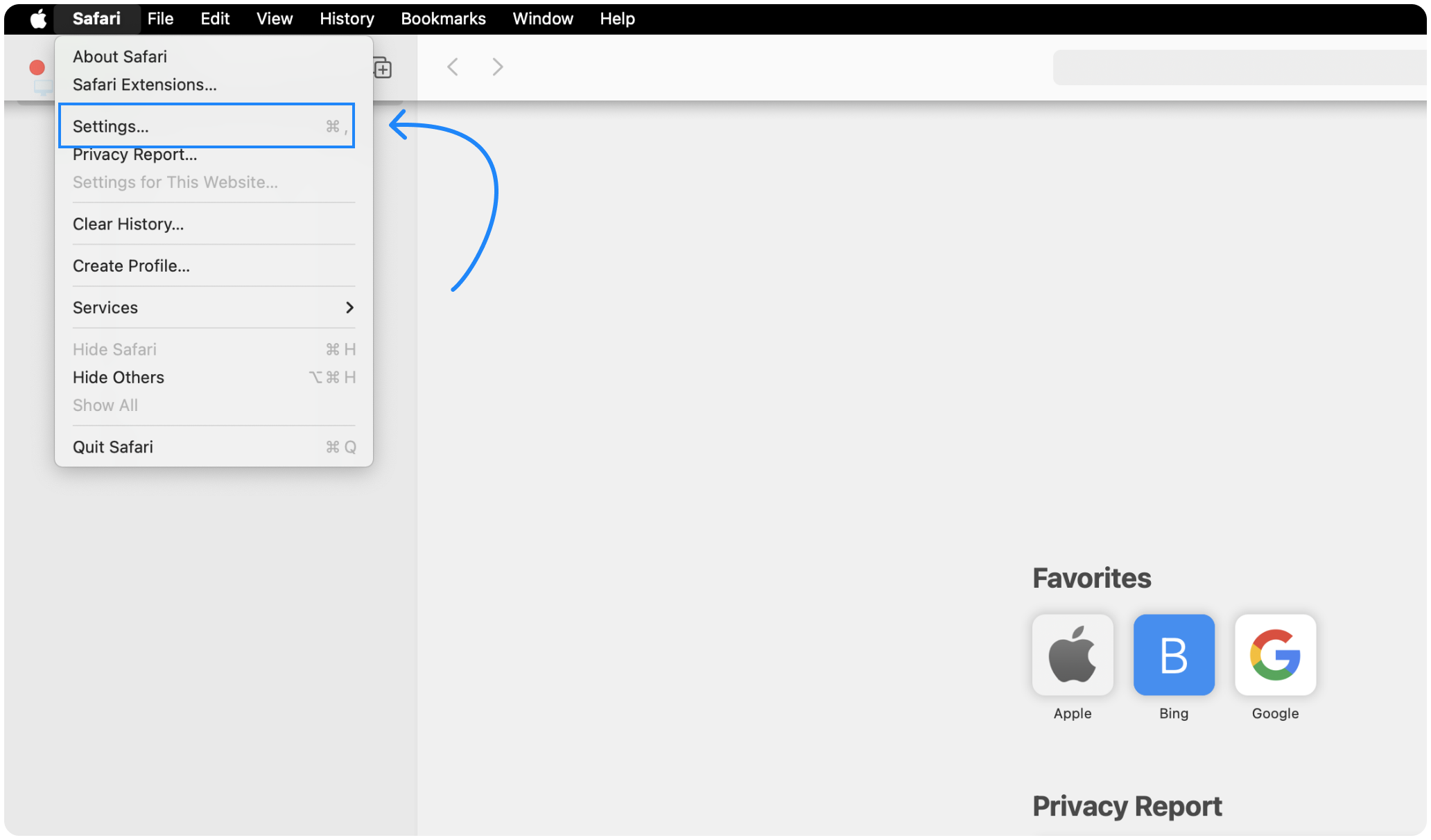
- Napsauta "Asetukset"-ikkunassa välilehteä "Yksityisyys"
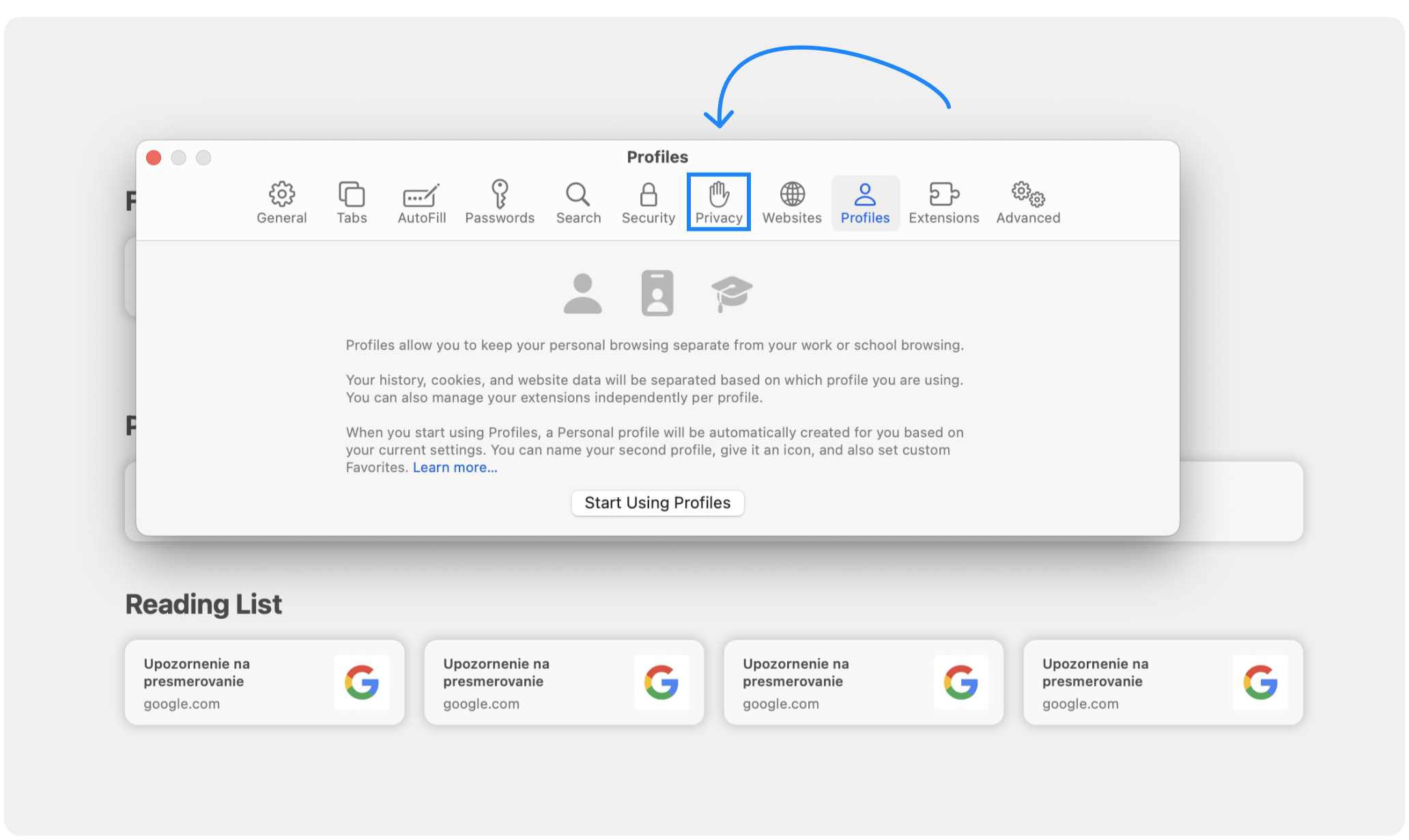
- Napsauta "Hallitse verkkosivustodataa…"
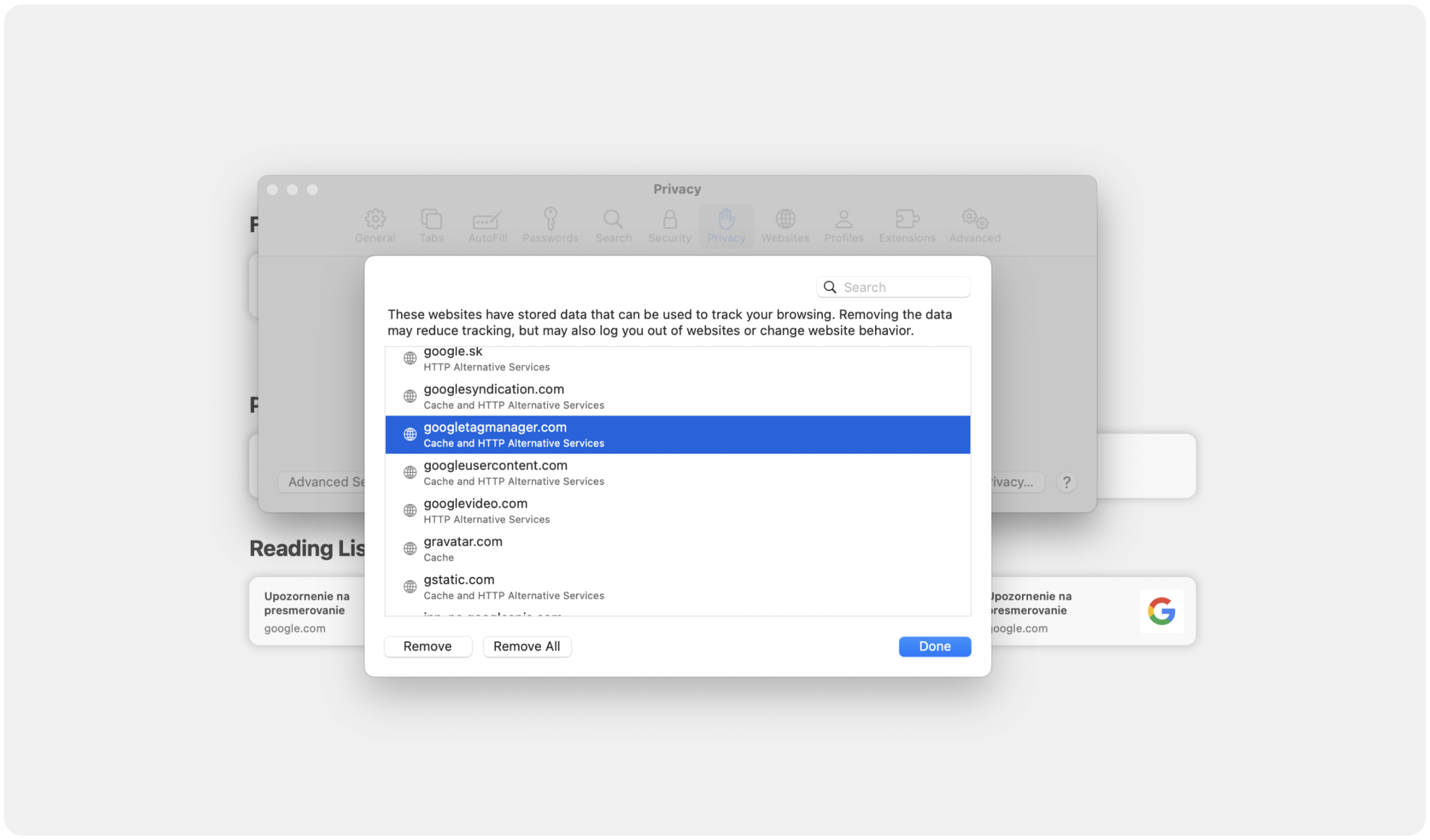
- Avautuvassa ikkunassa näet luettelon sivustoista, jotka ovat tallentaneet tietoja.
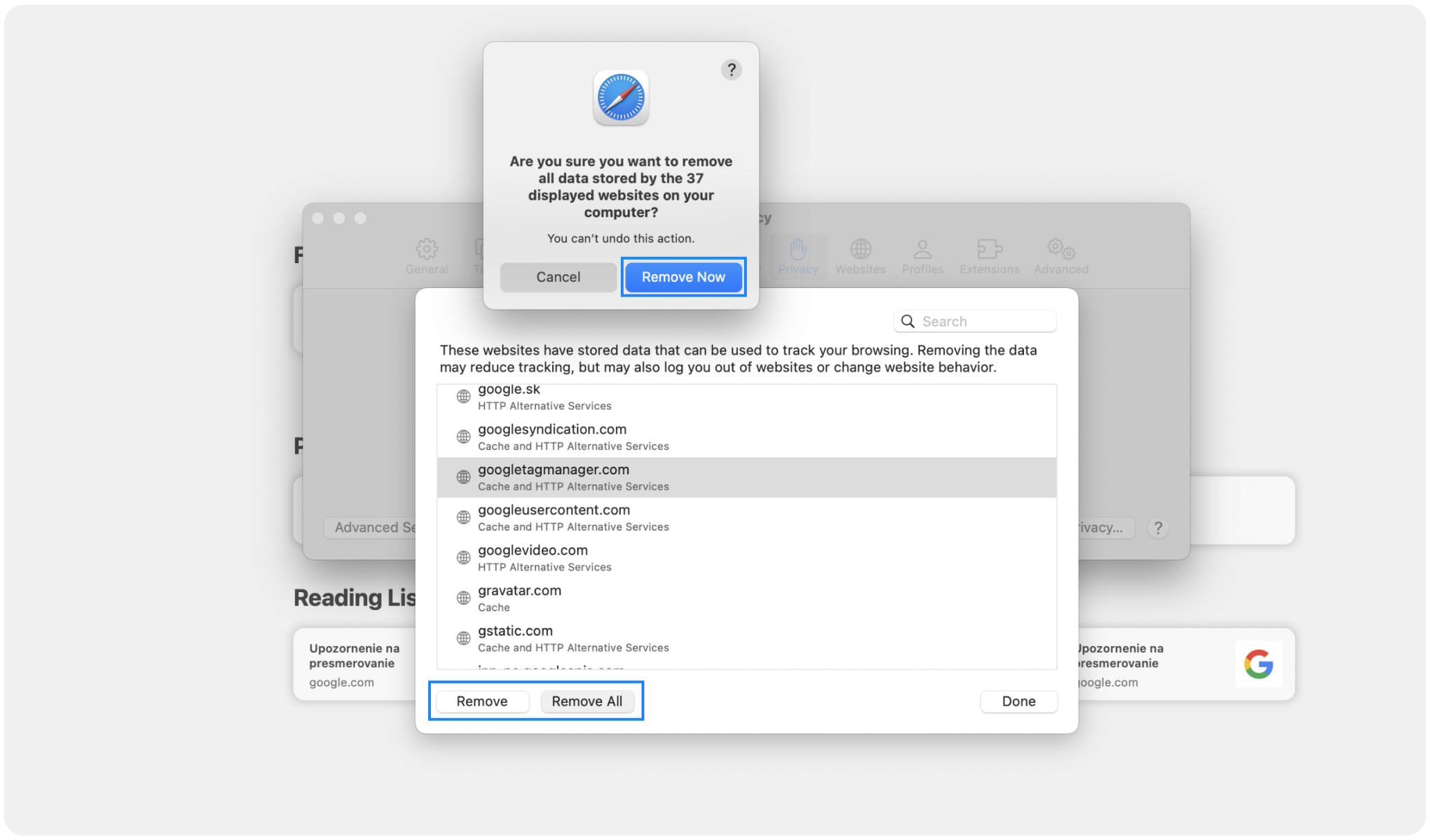
- Valitse sivustot, joiden tiedot haluat poistaa, tai poista kaikki evästeet napsauttamalla "Poista kaikki".
- Vahvista napsauttamalla "Poista nyt".
Managing Cookies Settings
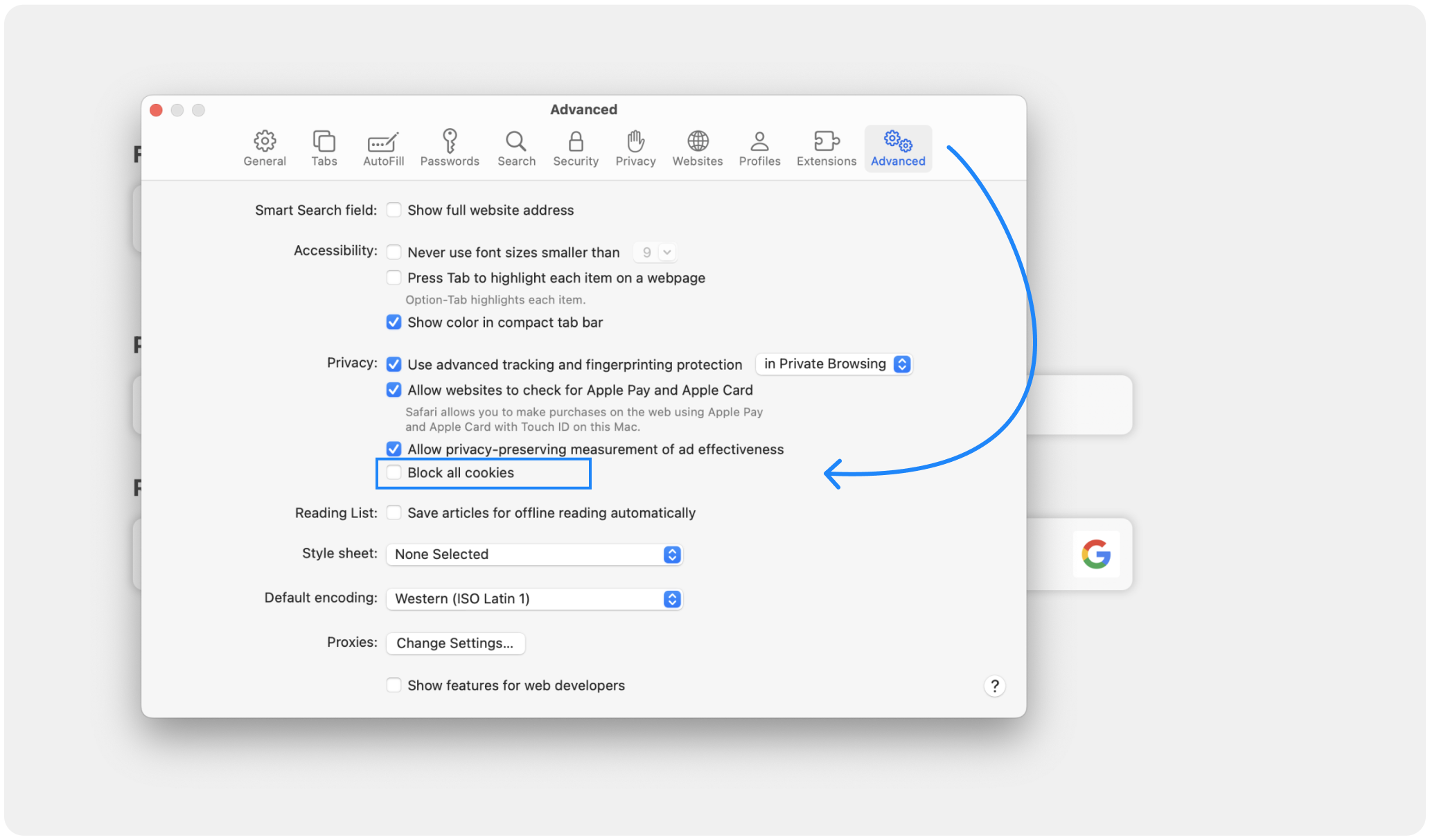
To prevent websites from storing cookies in the future, you can adjust your cookie settings:
- Valitse "Yksityisyys"-välilehdellä "Estä kaikki evästeet", niin evästeitä ei tallenneta lainkaan.
- Voit myös valita "Salli vain nykyiseltä sivustolta" tai "Salli vierailemiltani sivustoilta", jos haluat yksilöllisemmät asetukset.
Regularly deleting cookies can help protect your privacy, improve security, and ensure your browser performs optimally. By following this guide, you can easily manage and delete cookies in Safari. For more detailed information, visit the Applen tukisivu.