

What Happens to Your Ad Campaigns When Consent Mode Is Set Up Wrong
July 30, 2026
•

8 min read
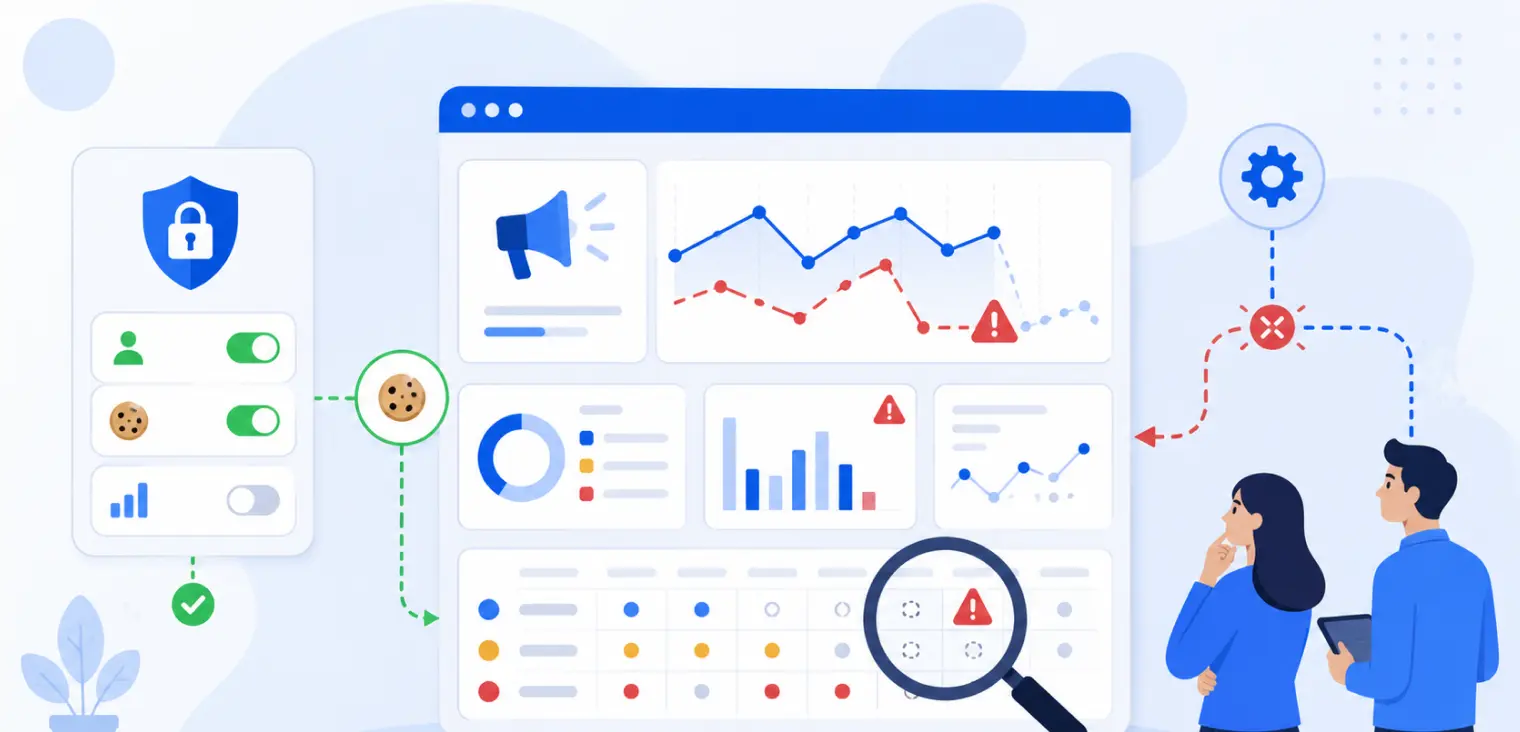
Table of contents
back
to the top
What Happens to Your Ad Campaigns When Consent Mode Is Set Up Wrong
Google Consent Mode can protect privacy and keep marketing measurement working. But when it is set up wrong, the damage is not always obvious straight away.
Your ads may still run. Your landing pages may still load. Google Ads may still record some conversions. GA4 may still show traffic. From the outside, everything can look normal.
The problem is underneath. Tags may fire before consent is collected. Consent signals may be missing. Conversions may be underreported. Remarketing audiences may shrink unexpectedly. Campaigns may be optimised against incomplete data. In some cases, the setup can create both a compliance issue and a performance issue at the same time.
That is why Consent Mode should not be treated as a small checkbox inside Google Tag Manager. It affects how your website, cookie banner, Google tags, consent categories, and advertising platforms work together.
This article explains what can happen to your ad campaigns when Google Consent Mode is implemented incorrectly, the warning signs marketers should look for, and how to build a cleaner setup with CookiePal.
What Google Consent Mode Is Supposed to Do
Google Consent Mode helps your website communicate a visitor’s consent choices to Google services such as Google Analytics, Google Ads, and other supported Google tags.
Instead of treating every visitor the same, Google tags adjust their behaviour based on the consent signals received. For example, consent choices can affect whether advertising storage, analytics storage, ad user data, and ad personalisation are allowed.
A Consent Mode setup does not replace a cookie banner. It depends on a proper consent management platform that collects the visitor’s choice and sends the right signal to Google. CookiePal’s Google Consent Mode v2 solution is designed to connect consent choices with Google tools while supporting a compliant cookie banner and cookie control.
The goal is simple: respect user consent while keeping campaign measurement as accurate and useful as possible.
When it works properly, Consent Mode helps advertisers balance privacy and performance. When it is wrong, it can distort the data your campaigns depend on.
1. Conversions Can Be Underreported
The first problem marketers often notice is missing conversions.
You may know that leads, purchases, bookings, or sign-ups are happening, but Google Ads or GA4 shows fewer conversions than expected. The campaign looks weaker than it really is. Cost per acquisition rises. Return on ad spend appears lower. Stakeholders start questioning the channel.
This can happen when conversion tags do not receive the correct consent signals, fire at the wrong time, or fail to fire after consent is granted. It can also happen when the cookie banner is installed, but Consent Mode is not properly connected to the Google tags.
The result is not just a reporting problem. Paid campaigns are often optimised based on conversion data. If the platform receives incomplete data, bidding and budget decisions may be based on a distorted picture.
Before reducing spend or blaming the creative, check whether the consent setup is interfering with measurement.
2. Tags May Fire Before Consent Is Given
A banner can look compliant while the technical setup behind it is not.
One of the most serious Consent Mode mistakes is allowing non-essential tags to fire before a visitor has made a consent choice. This is common when Google Tag Manager, analytics scripts, ad pixels, and the cookie banner are installed separately without a clear firing order.
From the visitor’s point of view, they see a cookie banner. From the browser’s point of view, tracking may have already happened.
This creates two problems. First, it can weaken compliance because user choices are not being respected at the right time. Second, it can confuse measurement because tags may collect data before the consent state is correctly defined.
CookiePal’s consent management platform includes cookie auto-blocking, consent records, recurring scans, and Google Consent Mode support. That helps make the banner more than a visual layer. It becomes part of the tracking control system.
3. Tags May Not Fire Even After Consent Is Granted
The opposite problem can also happen.
A visitor accepts analytics or marketing cookies, but the relevant Google tags still do not fire. This can happen when GTM triggers are too restrictive, consent settings are mapped incorrectly, or tags are waiting for a condition that never updates.
For marketers, this feels like a mystery. The banner is active. Consent is being collected. Visitors are converting. But the campaign platform still shows weak or missing conversion data.
If this happens, check the full flow:
- The visitor sees the consent banner.
- The visitor makes a choice.
- The consent state updates.
- Google tags receive the correct signal.
- The right tags fire based on that signal.
- Conversions are recorded where appropriate.
If any step breaks, your ad reporting can be affected.
CookiePal’s Google Consent Mode troubleshooting guide is useful for checking whether Consent Mode is detected and configured correctly.
4. Remarketing Audiences Can Shrink or Become Less Reliable
Remarketing depends on tracking signals. If Consent Mode is set up incorrectly, remarketing audiences can become smaller, slower to build, or less reliable.
Some audience loss is expected when visitors reject marketing cookies. That is part of respecting consent. But a bad setup can reduce audience quality beyond what is necessary. For example, tags may fail to update after consent is granted, or advertising storage signals may be incorrectly denied for everyone.
This can affect campaigns that depend on returning visitors, abandoned-cart audiences, high-intent page viewers, or previous lead-form visitors. Your retargeting pool may look weaker even when the website is receiving qualified traffic.
A common mistake is assuming that a drop in remarketing audience size is always caused by lower traffic or worse creative. Sometimes the issue sits in the consent layer.
5. Campaign Optimisation Can Move in the Wrong Direction
Modern ad platforms use conversion signals to optimise delivery. If the data is incomplete or wrongly categorised, campaigns can optimise toward the wrong users, placements, keywords, or audiences.
For example, a lead generation campaign might receive fewer recorded conversions from high-quality visitors because the consent setup blocks or misfires the relevant tag. The platform then shifts budget toward traffic that is easier to measure but less valuable.
This is one of the most dangerous Consent Mode issues because it does not always create an obvious error. Campaigns still spend. Reports still update. Performance simply becomes harder to trust.
A broken setup can make good campaigns look bad and average campaigns look better than they are. That leads to poor budget decisions.
6. GA4 and Google Ads May Tell Different Stories
Another warning sign is a growing gap between GA4, Google Ads, CRM data, and ecommerce or lead-form data.
Some difference between platforms is normal. They use different attribution models, reporting windows, and data processing methods. But if the numbers are dramatically different, Consent Mode should be part of the investigation.
Consent signals affect what can be stored, sent, and modelled. If Google Ads receives one signal and GA4 behaves differently, or if one tag is consent-aware while another is not, reporting can become inconsistent.
This is why implementation should be tested across the whole stack, not just one platform. Check Google Ads conversions, GA4 events, GTM triggers, landing-page forms, and CRM records together.
7. You May Lose Trust in the Data
One of the hidden costs of a bad Consent Mode setup is internal confusion.
Marketing sees one number. Sales sees another. The CRM shows leads that Google Ads does not attribute. GA4 reports traffic that does not match campaign spend. The team starts making decisions based on arguments rather than reliable measurement.
When confidence drops, every performance conversation becomes harder. Is the campaign failing? Is the tracking broken? Is the landing page weak? Is consent reducing visibility? Is the CRM missing leads?
A clean Consent Mode setup does not make reporting perfect. No analytics setup does. But it gives the team a clearer foundation for decision-making.
Common Consent Mode Setup Mistakes
Most problems come from a few common mistakes:
- installing the cookie banner but not enabling Consent Mode;
- enabling Consent Mode but not connecting it properly to Google Tag Manager;
- firing Google tags before the default consent state is set;
- using the wrong consent category for analytics or ads;
- blocking every tag even after consent is granted;
- not testing conversion events after consent choices;
- forgetting to check mobile landing pages;
- adding new pixels without updating the consent setup;
- assuming Google Consent Mode covers non-Google trackers.
CookiePal’s GTM setup guide can help teams connect CookiePal and Google Tag Manager in a more structured way.
How to Check Whether Consent Mode Is Hurting Your Campaigns
Start with the website, not the ad account.
Run a scan to see which cookies and trackers are active. CookiePal’s website compliance scanner can help identify what your pages are loading and whether your current setup needs attention.
Then test the consent journey manually. Open the site in a private browser window. Check what happens before consent, after rejecting non-essential cookies, after accepting all cookies, and after changing preferences.
Next, test your key conversion paths. Submit a lead form, complete a test checkout, click a call button, book a demo, or trigger the event your campaign is optimising for. Confirm that tags behave correctly in each consent state.
Finally, compare platform data with business data. If Google Ads shows fewer conversions than your CRM, do not assume one source is automatically wrong. Look at the consent setup, tag firing rules, attribution windows, and form tracking together.
A Better Way to Manage Consent and Ad Measurement
Consent Mode works best when it is part of a complete consent management process.
That means having a clear cookie banner, accurate cookie categories, auto-blocking where required, consent records, regular scanning, and a working connection to Google Tag Manager and Google services. It also means keeping your cookie policy up to date as tags and campaigns change.
CookiePal’s cookie policy generator can help create a policy that explains how cookies and similar technologies are used. The policy should reflect your real marketing stack, not just generic wording copied from another website.
For growing teams, the biggest benefit is consistency. Instead of every marketer, agency, or developer adding tags in a different way, CookiePal gives the business a central consent layer that supports both compliance and campaign measurement.
Fix the Consent Layer Before You Blame the Campaign
When ad campaigns underperform, teams usually check the creative, targeting, landing page, offer, and budget. Those things matter. But if Consent Mode is set up wrong, the campaign data itself may be unreliable.
Bad implementation can underreport conversions, weaken remarketing, confuse attribution, damage optimisation, and create compliance gaps. It can also lead teams to cut campaigns that are actually working or scale campaigns based on incomplete signals.
Before making major media decisions, check the consent layer.
Start with a free CookiePal compliance scan, review your Google Consent Mode setup, and test how your tags behave before and after consent. A better setup can give your campaigns cleaner data, better trust, and a stronger privacy foundation.
This article provides general information and is not legal advice. Privacy obligations depend on your business, website setup, advertising stack, and the locations of your visitors.
Explore further

Browser Fingerprinting Explained: Why It Still Matters for Privacy
Fingerprinting can recognise a browser without storing a cookie, so your banner may not cover it. Learn how it works, when consent applies and how to audit your scripts.
October 29, 2026
10 min

Link Decoration and Tracking Parameters: The Privacy Issue Marketers Miss
Click IDs and UTM parameters can carry identifiers through URLs, forms and servers. Learn when link decoration needs consent, how URL passthrough fits and how to audit it.
October 29, 2026
9 min

Do A/B Testing Tools Require Cookie Consent?
A/B tests can store IDs, share events and feed ad audiences. Learn when experiments need consent, when a narrow exemption may apply and how to run tests without ignoring privacy.
October 22, 2026
9 min