

Agencies
Onboard and manage your clients from the agency dashboard.
Discount Codes and Kickback
Create codes for your clients and see what you keep.
Table of contents
back
to the top
How Discount Codes Work
Find your codes on the "Discount codes" page in the sidebar. A discount code gives a client a percentage off when CookiePal bills them. You keep the rest of your tier as credit, which we call kickback.
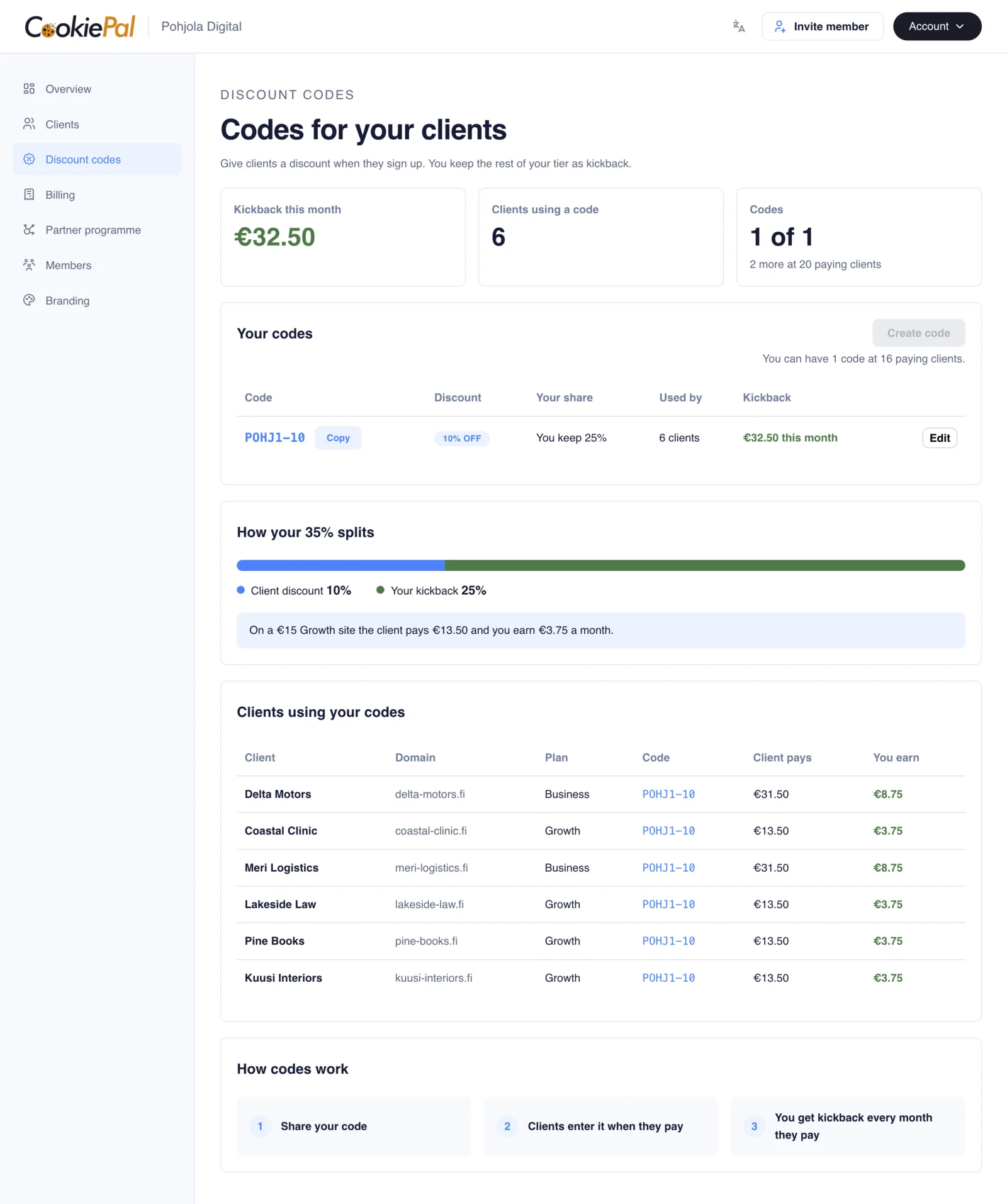
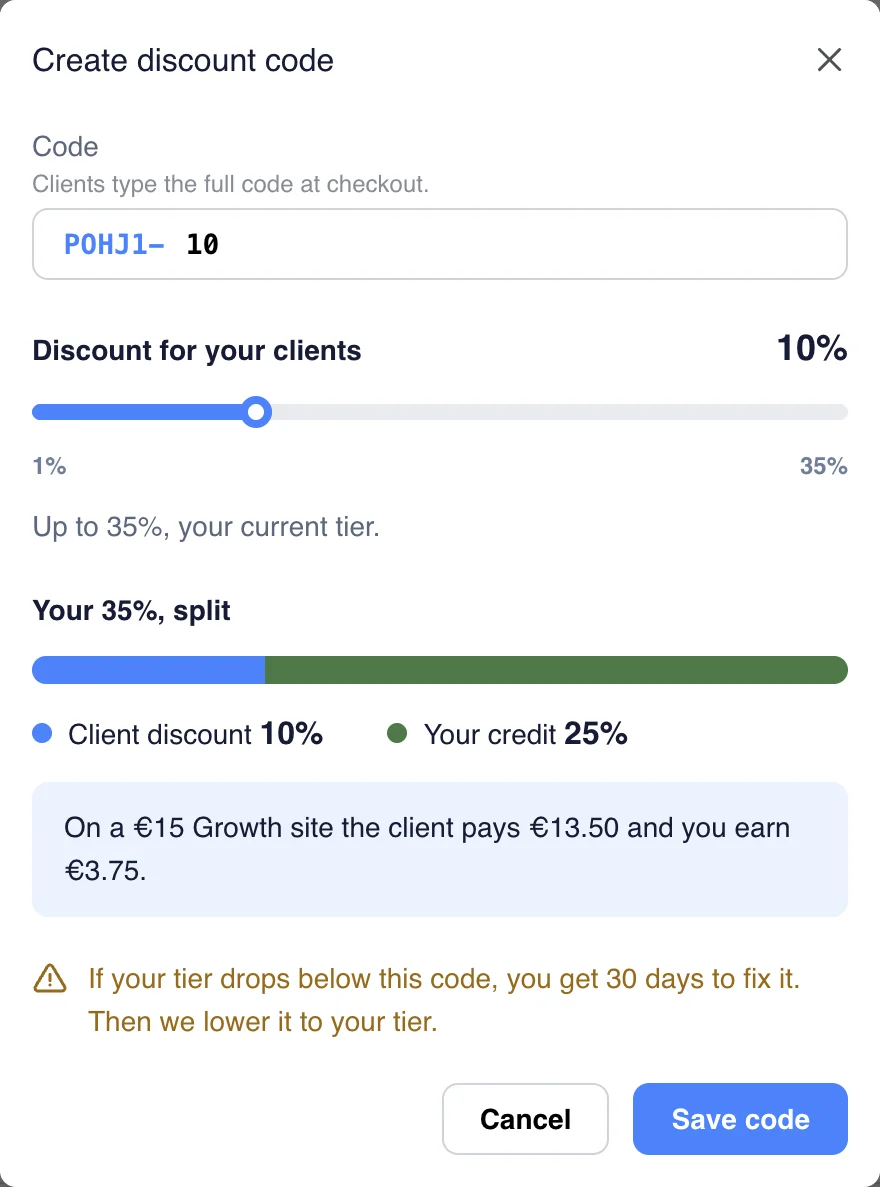
At a 35% tier, a code with 10% off leaves you 25%. On a €15 Growth site the client pays €13.50 and you earn €3.75 a month. A code never gives more than your tier, and it does nothing for clients you bill yourself.
How Many Codes You Can Have
The number of codes depends on your paying clients:
- From 3 paying clients: 1 code
- From 20 paying clients: 3 codes
- From 50 paying clients: 5 codes
Below 3 paying clients you can't have codes. When you have used them all, "Create code" is greyed out and tells you when you get the next one.
Create a Code
Click "Create code". You only choose the percent. The code is your agency code, a hyphen and the percent, for example POHJ1-10. Type the percent or drag the slider. It must be a whole number from 1% up to your tier. Then click "Save code".
Click "Copy" next to the code and send it to your client. They type it in when they pay.
Edit a Code
Click "Edit" on the code, change the percent and click "Save code". The percent is part of the code, so editing it changes its name. POHJ1-10 becomes POHJ1-15 when you change it to 15%. The old name stops working for new sign-ups. Clients who already use it stay on your code, at the new percent from their next bill. Tell your clients the new name.
See What Your Codes Earn
Each code shows how many clients use it and the kickback it brought this month. Below the codes, "Clients using your codes" shows what each client pays and what you earn.
Credit lands when the client's payment goes through, and a refund takes it back. Codes you made before agency billing keep working and show on the same page.
Any Questions Left?
Feel free to contact us and we will answer all of yours remaining questions!
Contact Us