

Agencies
Onboard and manage your clients from the agency dashboard.
Your Billing Page
See your tier, what you earn and what you owe each month.
Table of contents
back
to the top
Open the Billing Page
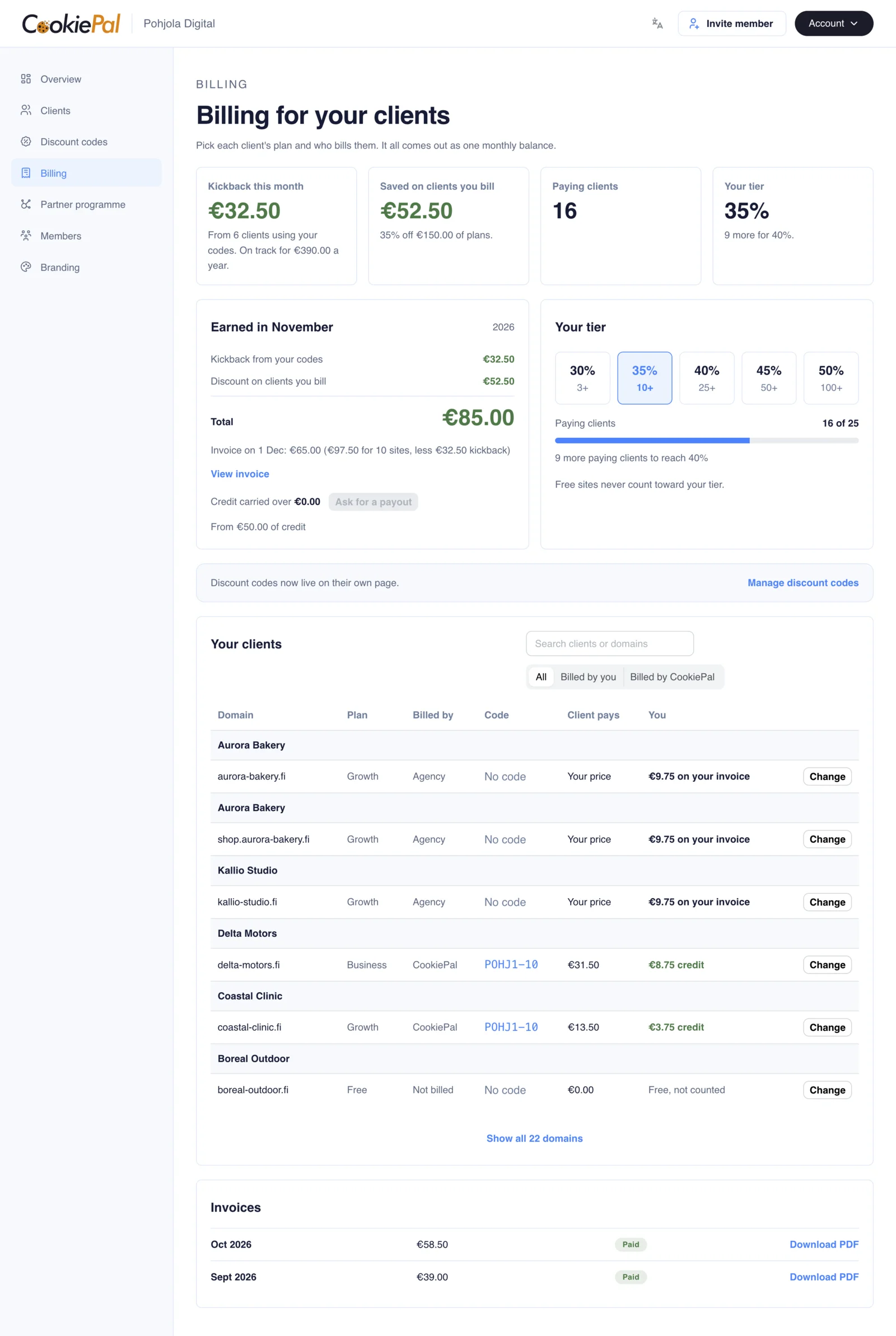
Open the "Billing" page in the sidebar. It shows your tier, what you earn, your monthly invoice and the plan and biller of every client. Everyone on your team can view it. Only agency admins can change billing.
Your Tier
Your tier sets your discount. It depends on how many paying clients you have, whoever bills them. Each paying client site counts once. Free sites never count.
- From 3 paying clients: 30%
- From 10 paying clients: 35%
- From 25 paying clients: 40%
- From 50 paying clients: 45%
- From 100 paying clients: 50%
We recount every month and whenever a client changes plan. The Billing page shows how many more paying clients you need for the next tier.
Before You Have 3 Paying Clients
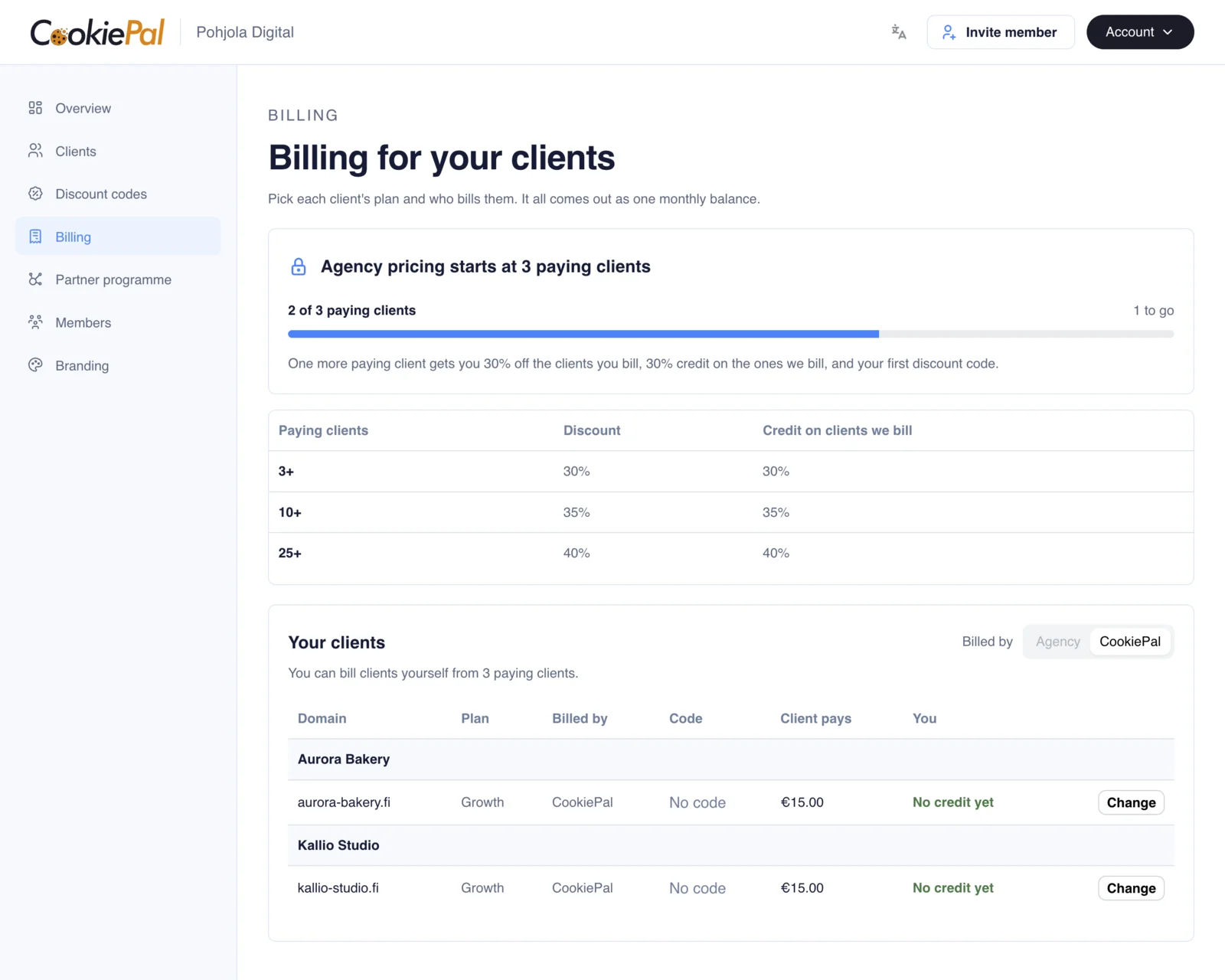
Below 3 paying clients, the Billing page is locked. You get no discount, no credit and no discount codes yet, and your clients pay full price. The page shows how many more paying clients you need.
What You Earn
Every paying client site is billed in one of two ways:
- You bill them: the site goes on your monthly invoice at the retail price less your tier.
- CookiePal bills them: the client pays CookiePal. You earn credit equal to your tier minus the client's code percent, taken from the retail price.
For example, at a 35% tier, a client on the Growth plan (€15 a month) with a 10% code pays €13.50. You earn €3.75 in credit. To change who bills a client, see Choose Who Bills a Client.
Your Monthly Invoice
The clients you bill go on one invoice a month, due in 14 days. The credit you earned comes off it, and so does any credit carried over from earlier months. The "Invoices" list shows every invoice, and "Download PDF" gets you a copy.
Credit and Payouts
Credit lands when the client's payment goes through. If that payment is refunded, the credit is taken back. Credit you don't use on an invoice carries over to next month.
Once you have €50 of credit, click "Ask for a payout". The CookiePal team handles it and gets in touch with you.
Any Questions Left?
Feel free to contact us and we will answer all of yours remaining questions!
Contact Us