

Agencies
Onboard and manage your clients from the agency dashboard.
Choose Who Bills a Client
Pick a client's plan, decide who bills them and see what changes first.
Table of contents
back
to the top
Open Change Billing
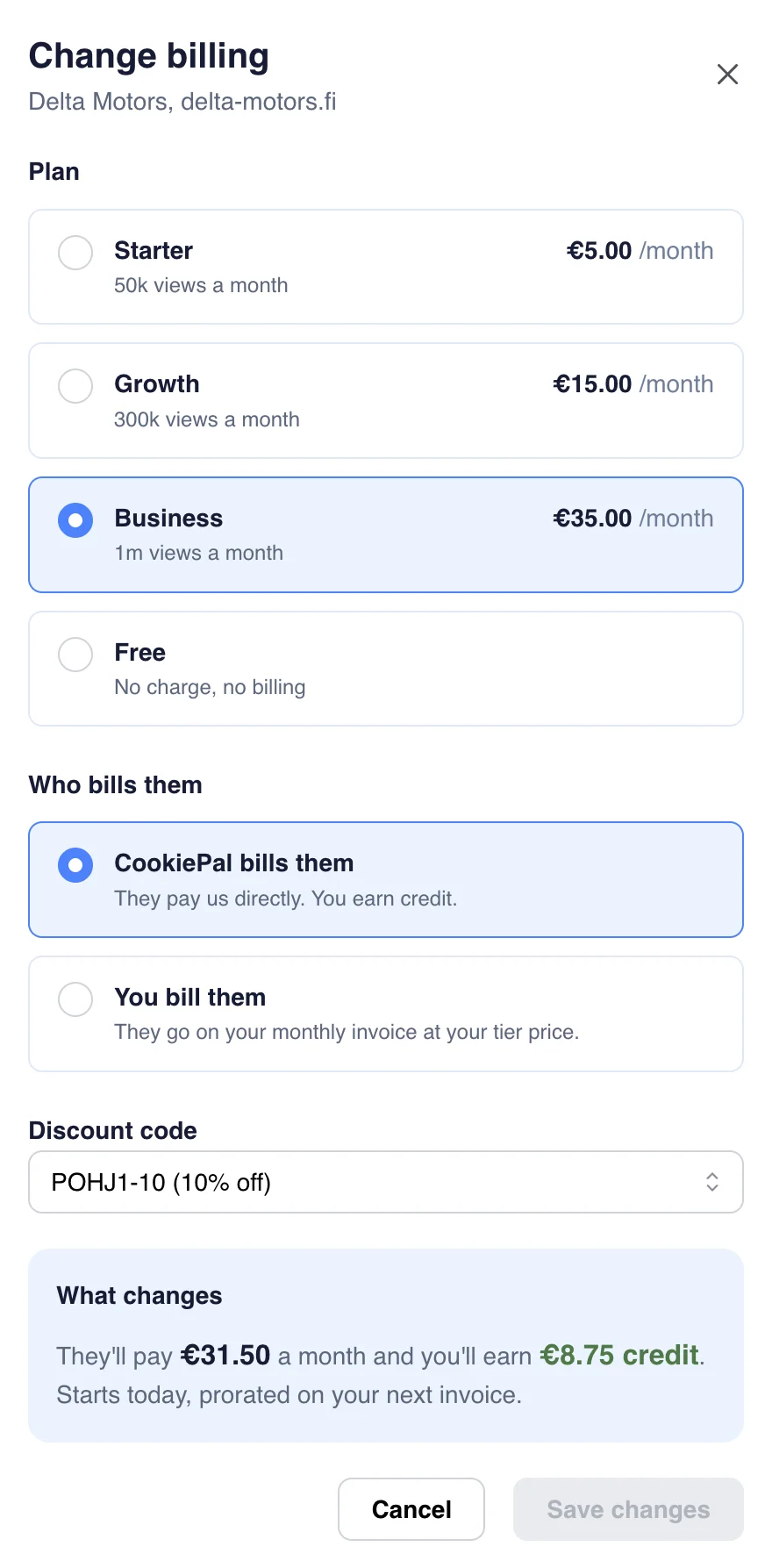
Open the "Billing" page in the sidebar and find the client in "Your clients". Use the filter to show only the clients "Billed by you" or "Billed by CookiePal". Click "Change" on the client's row. The "Change billing" drawer opens.
Choose the Plan
Under "Plan", pick one. Prices are per site:
- Starter: €5 a month, 50k views a month.
- Growth: €15 a month, 300k views a month.
- Business: €35 a month, 1m views a month.
- Free: the client stops paying and you stop earning on the site. Free sites never count toward your tier.
Choose Who Bills Them
Under "Who bills them", pick one:
- CookiePal bills them: the client pays CookiePal directly and you earn credit. Pick this one to give the client a discount code.
- You bill them: the site goes on your monthly invoice at the retail price less your tier. What you charge your client is up to you.
When CookiePal bills the client, "Discount code" lets you pick one of your codes, or "No code". To create codes, see Discount Codes and Kickback.
Check What Changes and Save
The "What changes" box shows what the client will pay and what you will earn or add to your invoice. Click "Save changes".
The change applies straight away and is prorated on your next invoice. Only agency admins can save a change. Members can open the drawer to look.
Any Questions Left?
Feel free to contact us and we will answer all of yours remaining questions!
Contact Us