

Agencies
Onboard and manage your clients from the agency dashboard.
Link Clients With Your Partner Code
Share your partner code so clients can link their sites to your agency.
Table of contents
back
to the top
Clients link their sites to your agency with your partner code. Once linked, you can open their CookiePal account and manage their banner from your dashboard.
Copy Your Partner Code
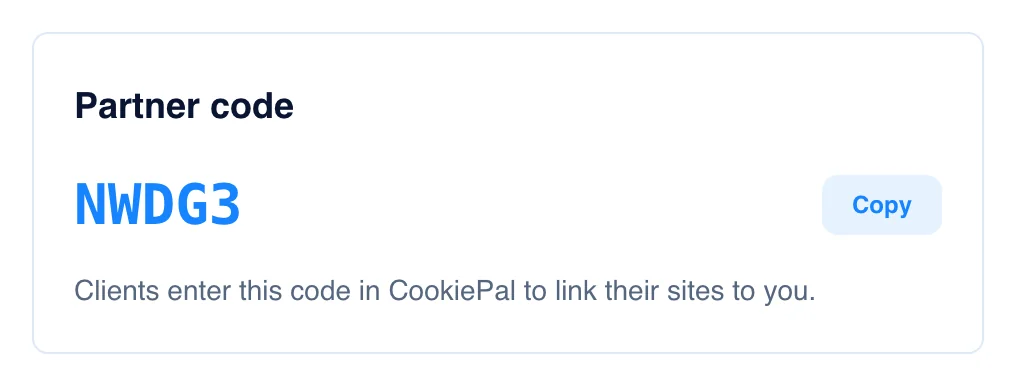
Find the "Partner code" card on the "Overview" page and click "Copy". Send the code to your client by email or chat. The "Partner programme" page in the sidebar shows the same steps, so you can point your team to it.
Your Client Links Their Sites
Your client signs in to their CookiePal account and:
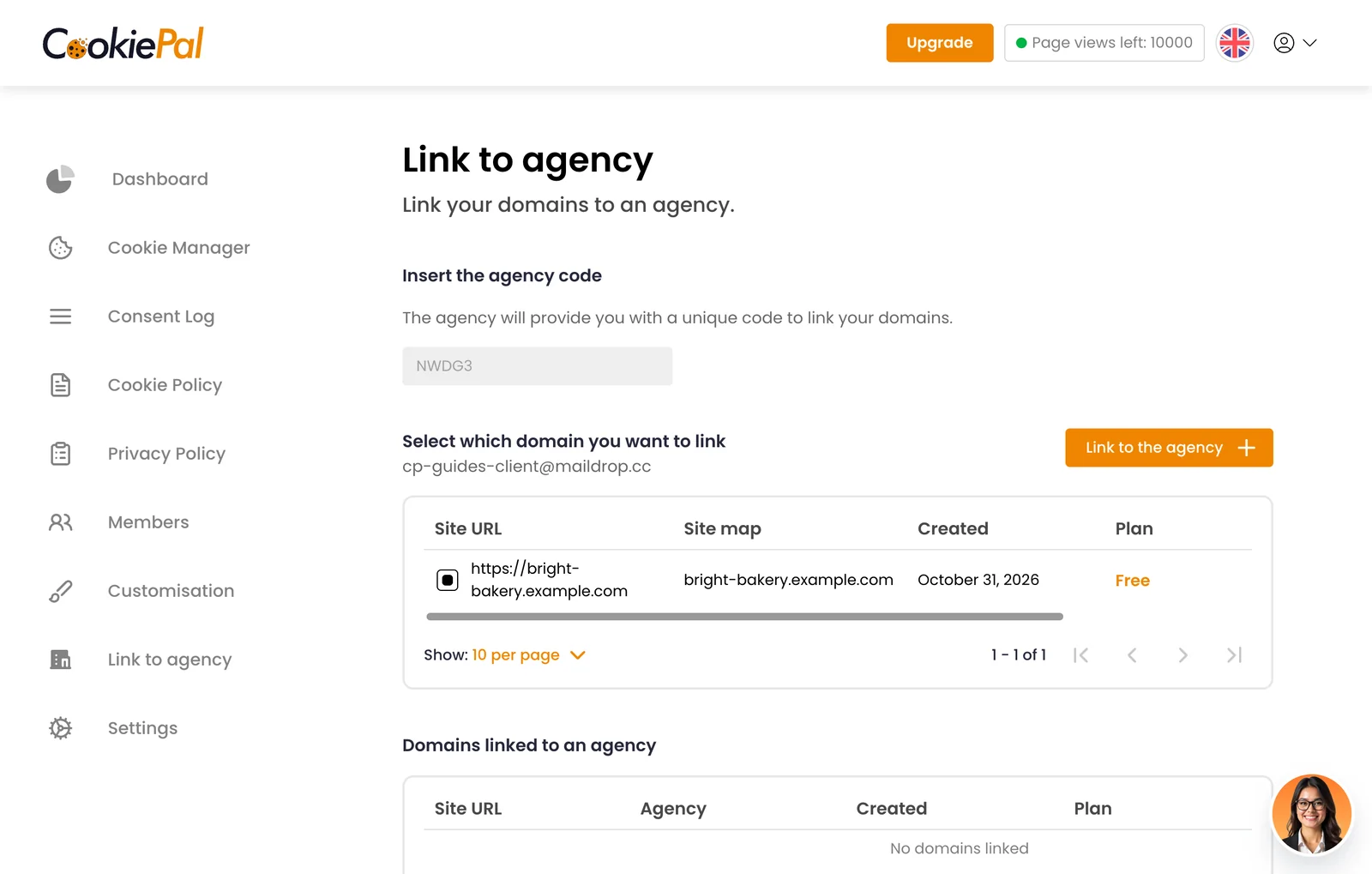
1. Opens "Link to agency" from the menu in their dashboard.
2. Pastes your code under "Insert the agency code".
3. Selects the domains to link.
4. Clicks "Link to the agency".
No CookiePal account yet? Your client signs up and adds their website first, then links it.
See the Client in Your Dashboard
The linked domains appear in the list on the "Clients" page. From there you can open the client's account and set up their banner, as described in Open a Client's Account and Install the Banner.